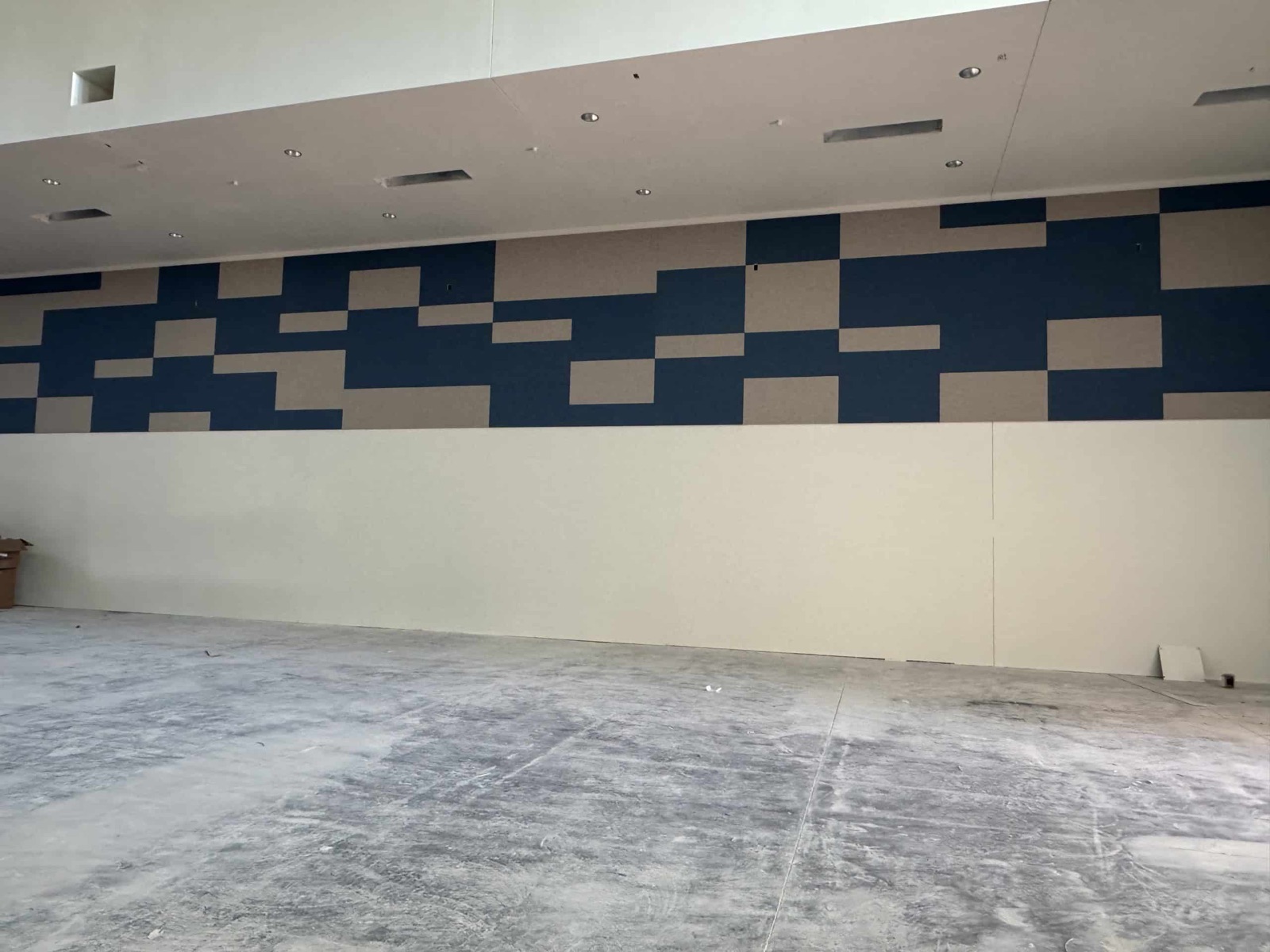
Acoustic wall panels installed around the upper walls of a gymnasium during construction
Field condition Wall-panel layout installed before the room is complete

For contractors · Bid, field & product coordination

A clearer path from bid set to panel package.

Send the drawings, field dimensions, finish direction, mounting condition and project location. QTS can help organize the selected product information and custom conditions before fabrication.

Plans, field conditions and the selected assembly have to tell the same story.

Contractor support

Bring the bid set and the field condition.

The useful product decision is the one that still works when the drawing meets the wall, ceiling, finish and attachment condition.

QTS manufactures wall panels, ceiling treatments, baffles and specialty products for commercial projects. Product families differ in construction, finish, available configuration and mounting, so the project record should identify the exact selection rather than rely on a generic panel description.

Start with what is known. Plans, elevations, dimensions, photos and the intended product or performance criteria give QTS a practical basis for the product conversation.

Project information, not a blanket promise

Published product pages and PDFs are useful references. Request current information for the selected product, thickness, finish, mounting and project condition before using it as a submittal.

Bid inputs

What to send at bid.

Not every field will be known on day one. The more clearly the condition is described, the easier it is to identify the questions that remain.

01

Plans & scope

Share room plans, reflected ceiling plans, elevations, schedules and the acoustic-product scope or basis of design when one is identified.

Useful context
  • New construction or retrofit
  • Project location
  • Bid or construction milestone
02

Dimensions & quantity

Provide drawing dimensions, field dimensions when available, panel layout intent and quantities. Identify which measurements still require verification.

Call out
  • Overall treatment areas
  • Panel joints and modules
  • Changes from the drawings
03

Surface & attachment

Describe the wall or ceiling construction, substrate, access and intended mounting approach. Penetrations, trim and adjacent work belong in the same conversation.

Coordinate
  • Substrate and blocking
  • Openings and obstructions
  • Access and sequencing
04

Product & finish

Identify the QTS family, thickness, edge, fabric or finish direction and performance criteria when known. If they are not known, describe the room condition that must be addressed.

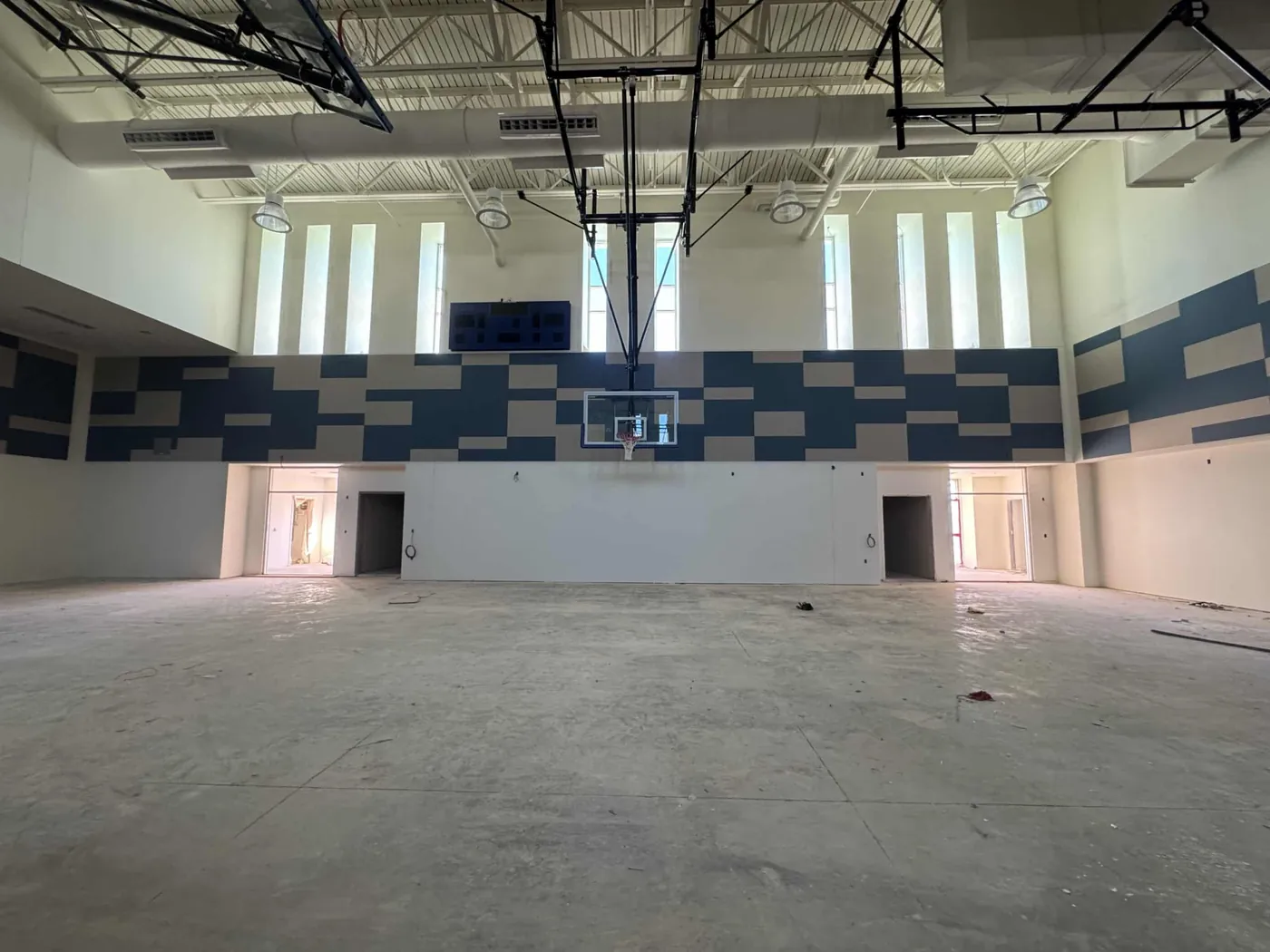
Geometric acoustic wall-panel layout installed above an unfinished interior floor
Visible panel layout during construction

Field coordination

Resolve the interfaces before they become installation questions.

Product information alone does not describe the complete condition. Confirm how the selected treatment meets the substrate, surrounding finishes, openings and work by other trades.

  • LayoutPanel modules, joint rhythm, edges and alignment points.
  • SubstrateWall or ceiling construction, attachment surface and access.
  • InterruptionsDoors, devices, lights, grilles, structure and other penetrations.
  • SequenceVerified dimensions, adjacent finishes and installation timing.
Review published wall-panel mounting guidance

Coordination path

Keep the selection tied to the condition.

The exact sequence varies by project. These four checkpoints keep product, field and documentation decisions connected.

  1. 01 · Share

    Define the scope

    Provide the drawings, room use, product intent and known performance criteria.

  2. 02 · Verify

    Describe the field

    Confirm dimensions, substrate, interruptions, access and adjacent construction.

  3. 03 · Configure

    Identify the assembly

    Record the family, thickness, dimensions, edge, finish and mounting condition.

  4. 04 · Document

    Request current information

    Match product data, test information, samples and mounting guidance to the selected condition.

Project record

What belongs in the product package.

Use the published resources as a starting point, then confirm what applies to the exact product and assembly being submitted.

Product identity

Family, core or construction, thickness, dimensions, edge profile, finish and mounting method.

Exact selection

Performance information

Current acoustic or fire-test information as applicable to the selected product, finish, mounting and tested configuration.

Assembly-specific

Physical reference

A requested product or finish sample can help the project team review color, texture, edge and construction.

Confirm availability

Use & care

Applicable mounting guidance, cleaning and maintenance information, and published warranty documentation.

Current project record

Nonstandard conditions

When the standard detail does not fit.

Share the condition instead of forcing an early answer. QTS can assess whether a product family can be configured around the dimensions, finish intent and mounting requirements.

Custom geometry

Provide dimensions, shapes, radii, pattern intent and the surfaces the treatment has to meet.

Explore QTS Custom

Finish integration

Share the fabric or finish direction, edge condition and how joints should relate to the surrounding work.

Ask about samples

Mounting constraints

Identify substrate, access, obstructions and attachment limitations before selecting a mounting approach.

Published mounting guidance

Project-specific documents

Request information that matches the selected family, finish, assembly and condition rather than reusing a generic reference.

Technical resources

Contractor questions

Before the product is ordered.

These answers keep the project conversation useful without assuming every product or field condition works the same way.

What should I send QTS for an initial product review?

Send the available plans or elevations, room use, treatment areas, dimensions, quantities, photos, substrate, finish direction, performance criteria and project location. Identify any information that is still preliminary or awaiting field verification.

Do all QTS product families use the same mounting method?

No. Published mounting options vary by product and configuration. Identify the selected product and field condition, then request the current mounting information that applies to that assembly.

Can a published product PDF be used as the final submittal?

Treat the available PDF as a product reference. Before submittal, request current information for the exact product, thickness, finish, mounting and project condition because published documents use different templates and may not address every selected option.

What if field dimensions differ from the drawings?

Call out the change and identify which dimensions have been field verified. Coordinate the affected layout, quantities, edge conditions and mounting details before fabrication decisions are finalized.

Can QTS review a custom shape or unusual condition?

Share a dimensioned drawing or clear photos with the product, finish, mounting and performance criteria. QTS can assess whether an ACC-U-SOUND family can be configured for the condition; feasibility and applicable documents depend on the exact selection.

Have a bid set or field condition?

Put the project information in one place.

Share drawings, dimensions, photos, finish direction and the condition that needs to be resolved. QTS can help organize the product information that follows.